Usage in Experiments
Managing and Comparing Replicates across Experimental Conditions
For large experiments and projects the SpheroidPy.experiment module provides additional tools for structured data organization, built-in statistical aggregation, and persistent storage of entire project states — making it particularly suited for reproducibility, collaboration, and iterative analysis workflows.
It extends the existing hierarchy by introducing a Result class to manage and compare multiple technical or/and biological replicates on a data level and an Experiment class for organizing multiple Results at the project level.
For live-cell imaging experiments with microwell-plate–based layouts, companion classes LiveCellReplicate and Platemap enhance a structured navigation through platemap formats, as discussed in the
next section.
Example code accompanying this section is available
here.
Result
Data level: Managing Replicates
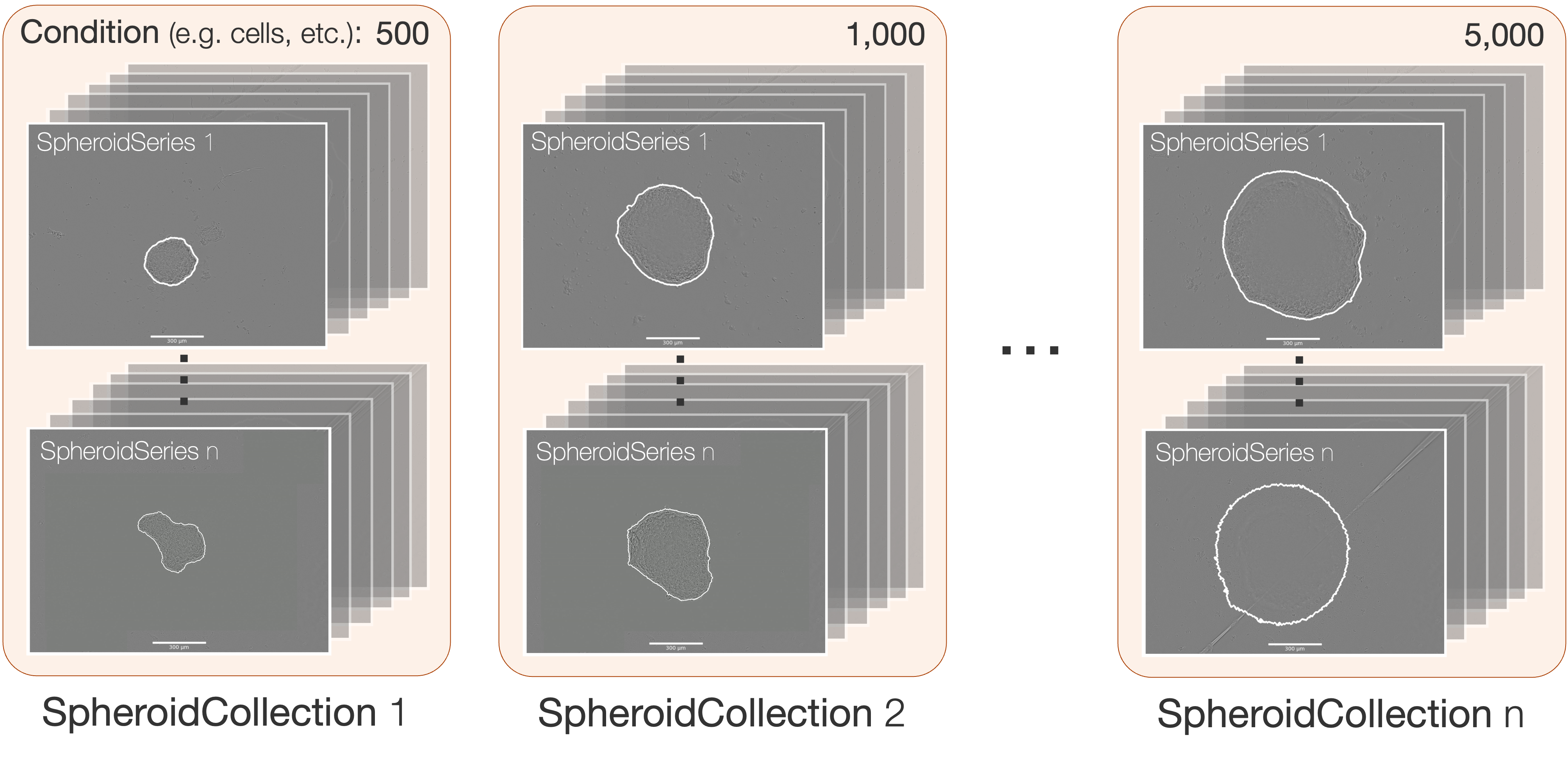
While the SpheroidCollection is well suited for managing multiple technical replicates and computing aggregated metrics within a single experimental condition, it does not inherently support structured comparison across repeated experiments or different conditions.
To address this, the Result class introduces an additional abstraction layer for organizing and comparing data across multiple conditions and replicates. It builds upon the SpheroidCollection class by assigning collections to specific experimental conditions and replicate groups, thereby enabling systematic comparison at the data level.
Creating a Result
A Result instance is initialized with a name and one or more named condition dimensions. Collections are then attached to specific numerical values along those dimensions via the add_collection() method. This interface serves two complementary purposes that can be freely combined:
The first one is condition comparison, where each SpheroidCollection is assigned to a distinct condition value, establishing a structured axis along which metrics are later aggregated and visualized.
from SpheroidPy.experiment import Result

my_result = Result("DrugScreen", condition="concentration")

my_result.add_collection(dmso_collection,    condition=0)
my_result.add_collection(low_dose_collection, condition=1)
my_result.add_collection(high_dose_collection, condition=10)
The second one is biological replication, where SpheroidCollection assigned to an identical condition value are automatically treated as independent biological replicates of that condition without any additional configuration.
result.add_collection(run1_10uM, condition=10)  # biologisches Replikat 1
result.add_collection(run2_10uM, condition=10)  # biologisches Replikat 2
Both patterns can be combined freely within a single Result, reflecting the typical structure of a quantitative biology experiment in which each condition is measured across multiple independent repetitions.
Previously introduced operations - such as the segmentation() or metric() methods - remain applicable at the Result level and are consistently propagated across the hierarchical data structure.
Experiment
Project level: Managing Results
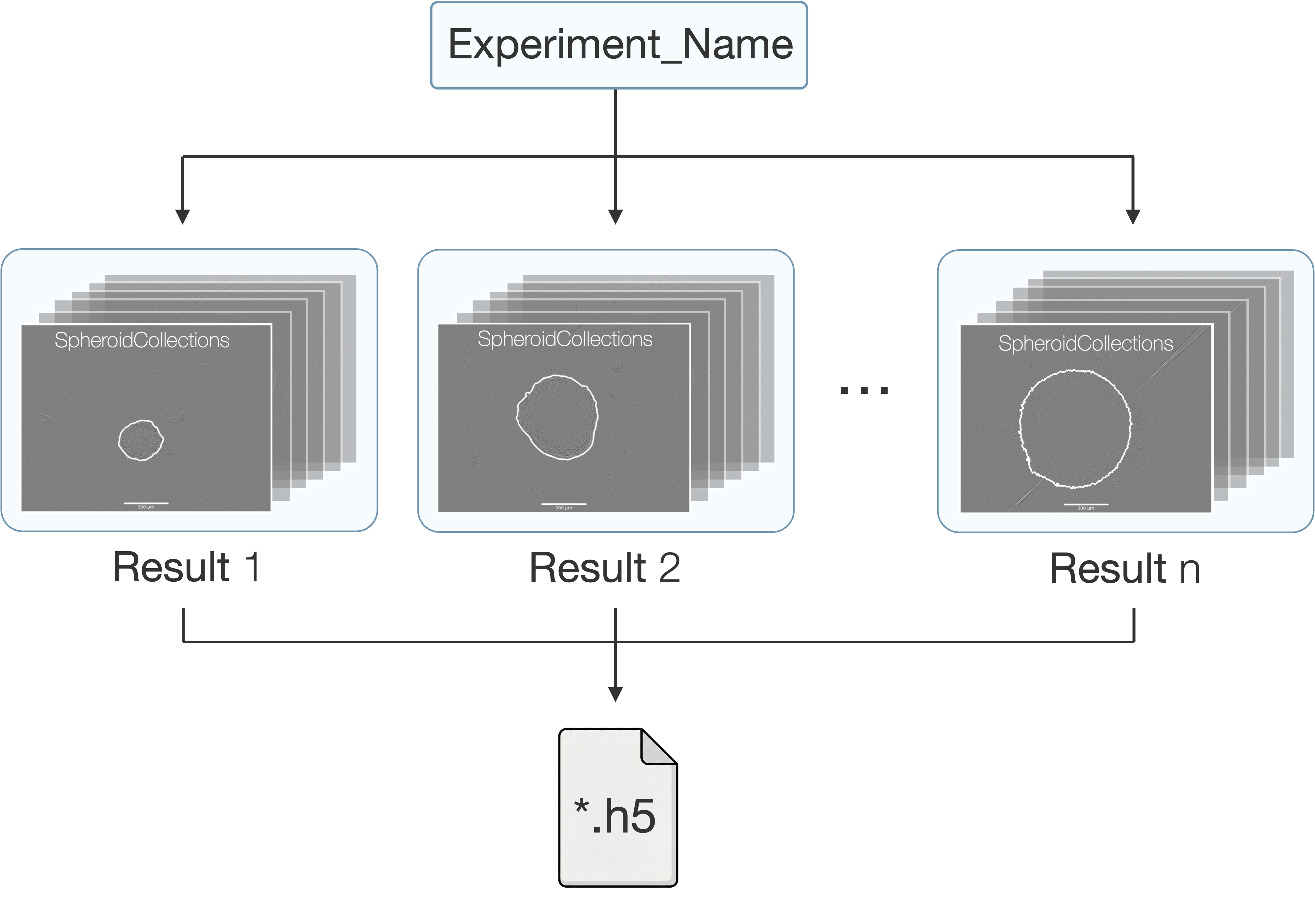
The Experiment class represents the highest level of abstraction within the SpheroidPy framework. It groups multiple Result objects — typically corresponding to independent experimental runs or biological repetitions of the same protocol — and provides facilities for cross-result metric aggregation, unified segmentation, and full project persistence via hdf5.
from SpheroidPy import Experiment, Result
# create an experiment
spheroid_experiment = Experiment(name='ExperimentName',
                                 path='path/to/folder')
Upon initialization, an hdf5-file is automatically created to store the complete state of the experiment, including associated results, metadata, and analysis outputs. The full state of an experiment can be reloaded at any time:
# load from file
loaded_experiment = Experiment.from_file('path/to/folder/Experiment_ExperimentName.h5')
A Result object associated with the experiment can be accessed or created (if it does not yet exist) as follows:
result = spheroid_experiment.result('MyResultName')